







Astro SB015 – Damage to Astro Battery Connectors
Date Released: July 16th, 2026
Subject: Astro SB015 – Damage to Astro Battery Connectors
Effectivity: Immediate
Required Action: Inspect Astro and SL8 battery connectors, do not fly if damage is found
Affected Part Numbers: SL8 battery (910-00649), and all Astro/Astro Max aircraft
BACKGROUND
Freefly has received 3 recent reports of Astro/SL8 battery connectors (aircraft and battery side) melting and charring. In some cases the power output from one SL8 battery is interrupted while in flight. No crashes have been reported as Astro uses a redundant smart battery architecture where each battery is designed to carry full flight loads in emergencies.
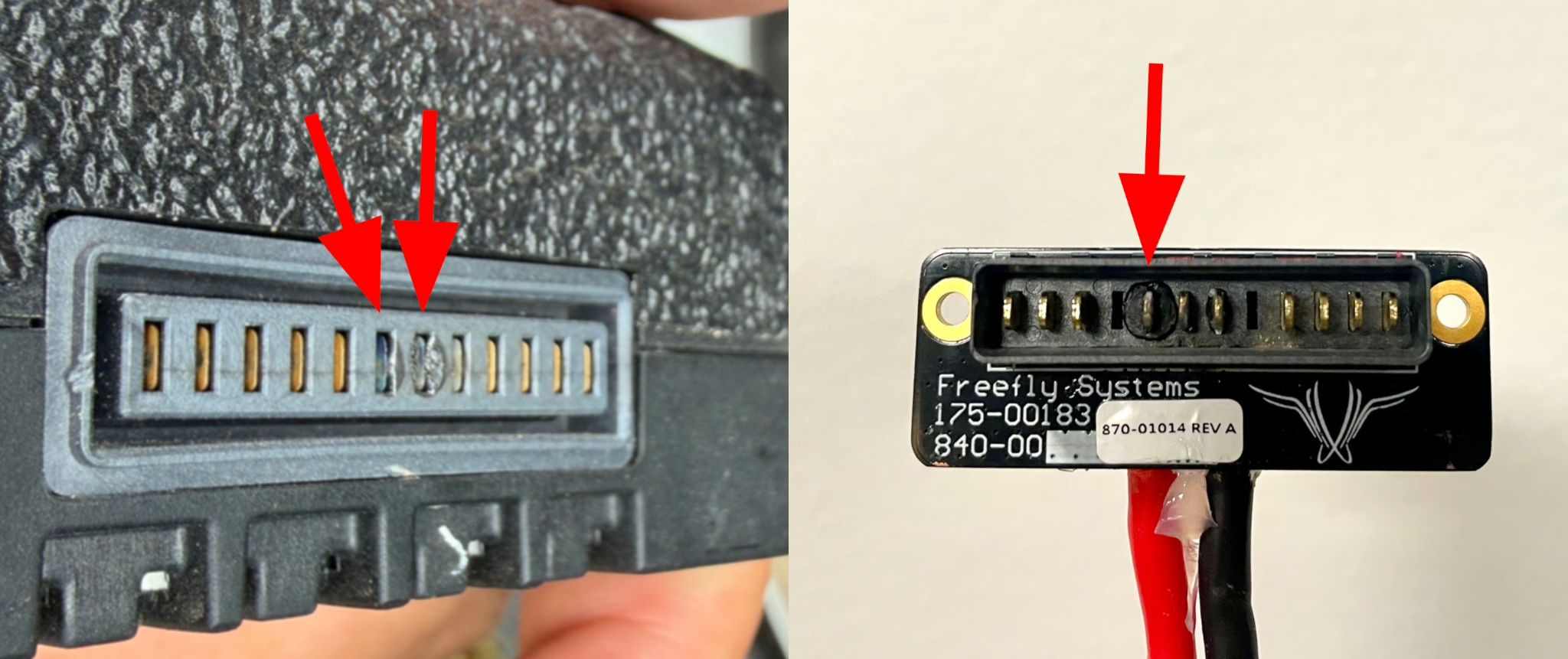
We believe that one or more batches of SL8 batteries may have shipped with excess flux on the pins in the battery connectors. In certain cases, this flux is attached to the power pins and can cause the power output from the battery to be reduced, or stop completely. Partially disconnected pins can cause excessive resistive heating and melting/charring of the battery connectors. As of 7/10/2026, we have seen 3 unique cases of both the battery side connector and aircraft side connector being damaged. Once the aircraft side is damaged, it is likely that subsequent batteries used on the aircraft can also be affected as the damaged astro side connector prevents all future batteries from making a full, low resistance connection.
OPERATIONAL IMPACT
- Batteries with this issue have intermittent output issues, resulting in the remaining SL8 battery on the aircraft taking double the power load. Astro is designed to fly on one battery in the event of an emergency. However, a battery stopping and starting power output can present a number of different warning to pilots including:
- Battery over temperature due to high current load
- Battery over current due to high current load
- Battery voltage mismatch due to batteries unequally discharged
- Battery FET/short circuit error due to rapid current changes
- Battery FET over temp
- Ensure the volume of the Pilot Pro tablet is turned up in case any warnings are given. Ensure prompt action in case any battery warnings are given. In most cases the best action is to land as soon as practical.
- Review any in flight errors carefully that display on Pilot Pro (or Ground Control Station) carefully.
RECOMMENDATION
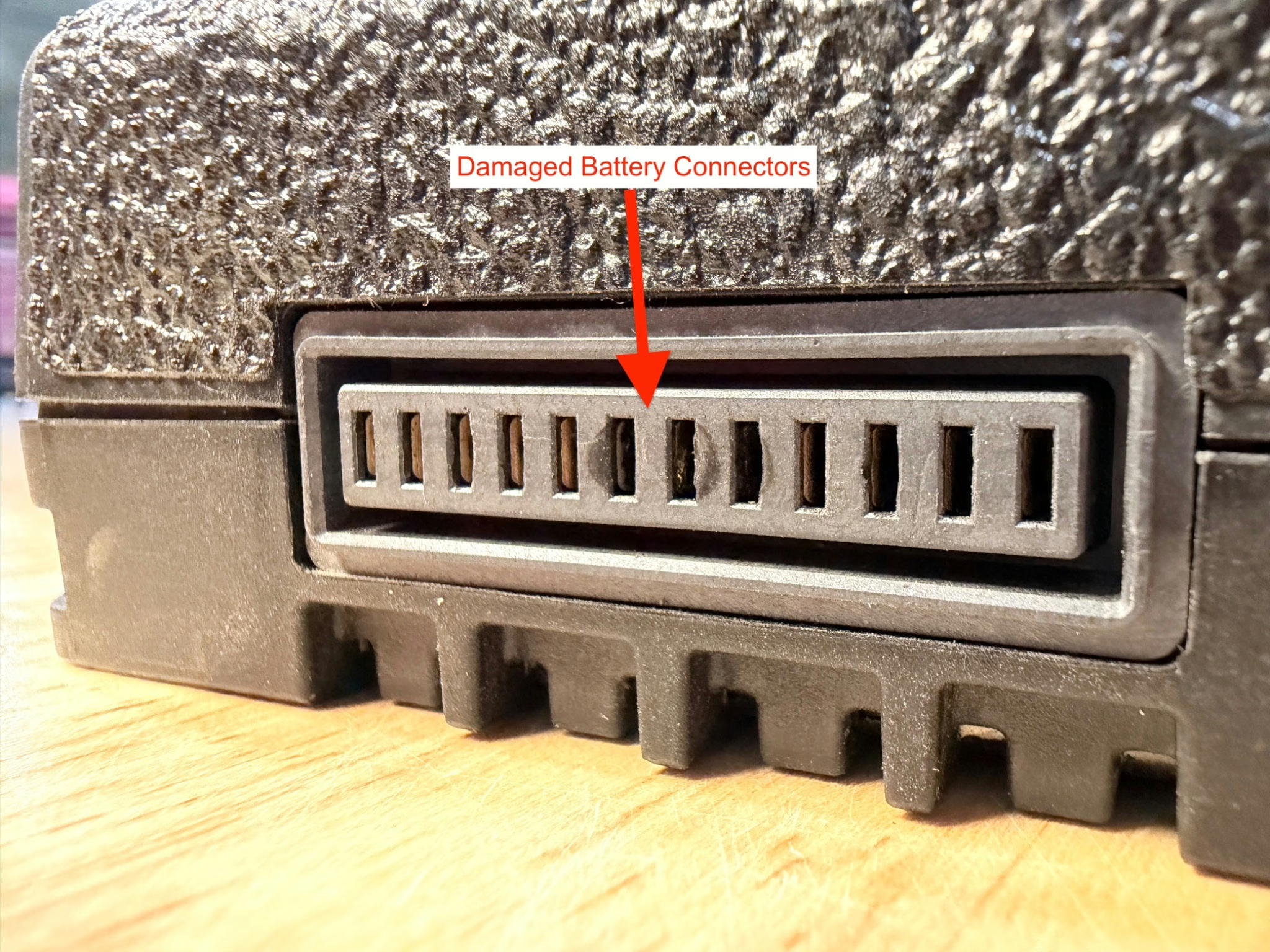
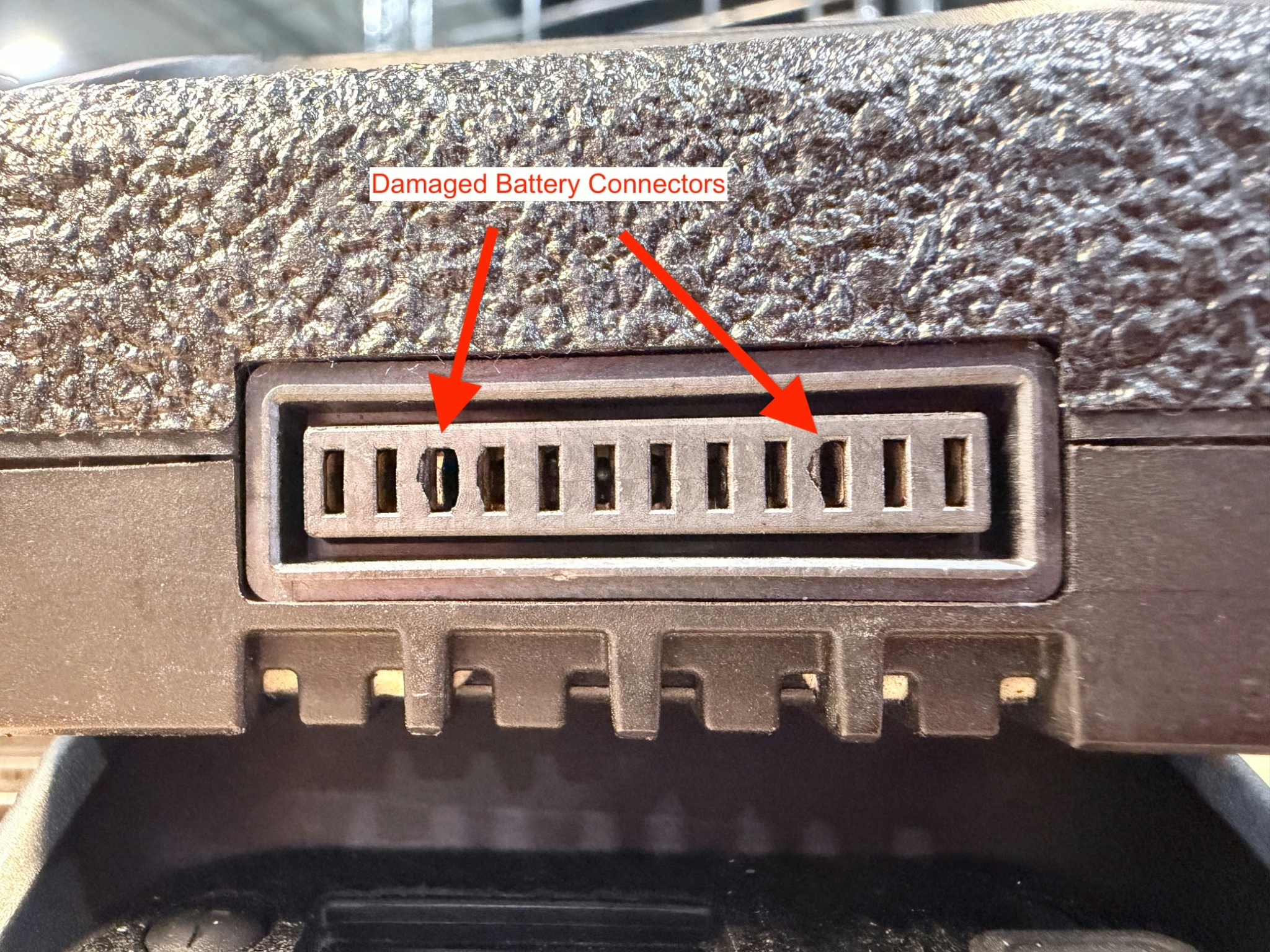
- Inspect the battery connectors on Astro for melted plastic and / or solder at the base of the power pins. Do not fly Astro if a connector is melted and contact Freefly Support for further guidance. Note: some wear and marking is normal on Astro side connectors.
- Inspect all SL8 battery connectors for melted plastic, debris, or dirt. Do not fly any SL8 battery if the connector shows signs of melting and contact Freefly Support for further guidance. Some wear on the battery side is normal and we are primarily looking for signs of excess heat / melting on the battery contacts.
- Clean and inspect Astro aircraft electrical connectors and SL8 Battery connectors per updated maintenance guidance for debris, wear, and escalate any findings you are concerned about with Freefly support (link bel0w).
- Freefly will be releasing an updated Firmware soon that automatically alerts the user if their system is seeing abnormal battery power levels that would indicate degraded connectors.
Still need help? Get in touch with our support team.
Contact Us